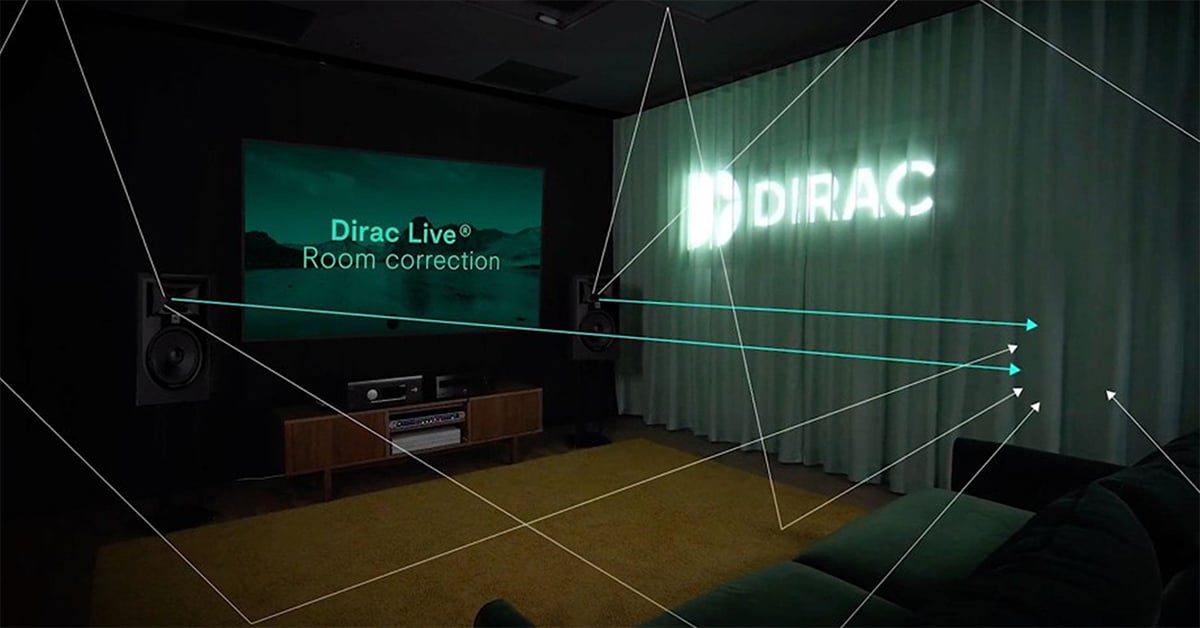
A beginner's guide to Dirac Live
Optimize your sound with state-of-the-art room correction

In this article: We'll answer to your questions about Dirac Live, including...
...And we'll walk you through a real-world Dirac Live setup process with the Onkyo TX-RZ50 in our employee's home.
Lately, you may have seen a certain room correction software being plugged by many of the audio-visual pundits online. Maybe you just bought a new home theater receiver, stereo receiver, or integrated amplifier, and Dirac Live is an option for room correction.
And if you’re like most of our customers, you might have some questions about how it works. That’s OK! We’ll break it down for you, so you can decide if Dirac Live is right for you.
I first encountered Dirac Live several years ago during training sessions here at our call center in Norton. Home theater receivers sounded great! The sound was lively and realistic. Not long afterwards I bought a NAD T 758 V3 home theater receiver with Dirac Live Room Correction included. My personal experience with the setup was, let’s say, challenging. But I couldn’t deny the results were satisfying.
What is room correction?
Ok, let’s back up a moment. If you’re wondering what room correction is, it’s simple. It’s software that tailors the sound of your movies or music to your specific room. We have real lives, and you can’t always create a room from scratch that’s just for movies. So, we do double duty in the living room where the TV is placed for everyone’s convenience.
You may have an oddly shaped room, or your speakers may not be in the best position in the room. These factors affect your sound and can prevent you from having an optimal home theater experience. Room correction uses your speakers to correct audio anomalies caused by square or rectangular rooms and less than ideal speaker placement.
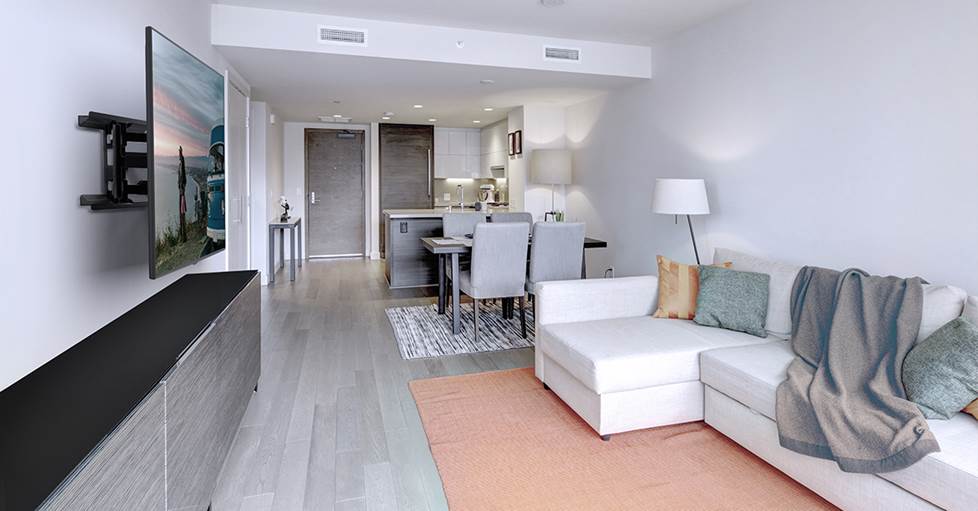
Use room correction to optimize your sound for your chosen space.
What is Dirac Live?
Dirac Live is an advanced room correction software that’s widely considered to be one of the best in the industry. There are a few types of Dirac Live: Room Correction (Limited Bandwidth or Full Bandwidth), Bass Control, and Active Room Treatment. We’ll be focusing on Room Correction and Bass Control since the brands we carry don’t currently support Active Room Treatment.
Dirac Room Correction identifies and corrects distortions caused by the room’s acoustics. It measures the distance from your speakers to your listening area with a microphone, using algorithms to correct frequency response and sound timing. This means sound from all speakers will hit your ears at the same time, with certain frequencies adjusted to minimize reflections and resonance from your listening area. The result is an improved soundstage, better clarity in music and dialogue, and deeper, tighter bass.
Dirac Room Correction comes in Limited Bandwidth or Full Bandwidth versions. The Limited Bandwidth corrects for frequencies between 20Hz and 500Hz, which is where much of the warmth and presence of your sound resides. The Limited Bandwidth version does a lot of heavy lifting and is fine for beginners and those who don’t want to tweak settings as much.
The Full Bandwidth version does the same corrections as the Limited Bandwidth version, except it corrects the entire spectrum of human hearing, 20Hz-20,000Hz. If you’re more experienced with sound correction or like to tweak your settings, you may want this version. Side note: we lose some of our high-frequency range of hearing as we age, so you’re more likely to hear up to 20,000Hz if you’re younger and have healthy ears.
Dirac Live Bass Control is a way to manage one or more subwoofers and to improve your bass response. Dirac corrects and redistributes bass frequencies and improves the blend between the subs and speakers. The result is deeper, tighter bass spread evenly across the listening area.
How do I get Dirac Live?
First, you need a piece of equipment that supports Dirac Live. We have many home theater receivers that are compatible, and some integrated amplifiers. But, just because it’s compatible doesn’t mean it’s included. Dirac might be included with/built into the compatible gear or it might be available as an optional paid upgrade.
The best way to know if your prospective gear supports Dirac Live and what version it has, is to check the receiver or amp’s webpage for these main considerations:
Is the Dirac Live software built into the equipment?
If so, you can use the receiver’s or the integrated amp’s app for tuning.
If not, you’ll need a Windows 10 or MacOS compatible laptop.
Is the microphone included with the equipment compatible with Dirac Live?
Some receivers and integrated amps include multiple room correction options. If your gear's setup mic isn’t compatible with Dirac, you’ll need to buy a third-party USB microphone designed for calibration measurements.
Is the Dirac Live license included in the price of the equipment?
If not, you can go to the Dirac Live website to purchase the license.
What version(s) of Dirac are compatible with the equipment?
Some models support the Full Bandwidth version of Dirac Live, while others include the Limited Bandwidth version. Other compatible models list Dirac Room Correction as “optional” and require a paid upgrade to use the Limited or Full Bandwidth versions.
How does Dirac Live work?
We’ve covered the basics of Dirac Live and how to get it into your home. But you’re probably wondering what the actual setup is like. We went to the house of Crutchfield software specialist Keri. She recently set up a new home theater system that came with Dirac Live, and since we’re nothing if not thorough in our quest for research excellence, we jumped on her generous invitation to observe the Dirac setup.
Keri's home theater
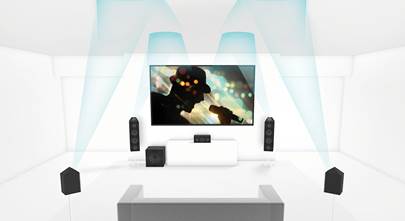
Keri’s system is built around the Onkyo TX-RZ50 9.2-channel home theater receiver with Dirac Live Room Correction (Full Bandwidth). The Bass Control add-on wasn’t available at the time for the ‘RZ50, so she didn’t need to decide right then if she wanted to add that capability. Her system is configured for a 5.1.2 Dolby Atmos setup with Klipsch speakers. Plus, she has an Epson Home Cinema projector and a Stewart Filmscreen Wallscreen for the display.
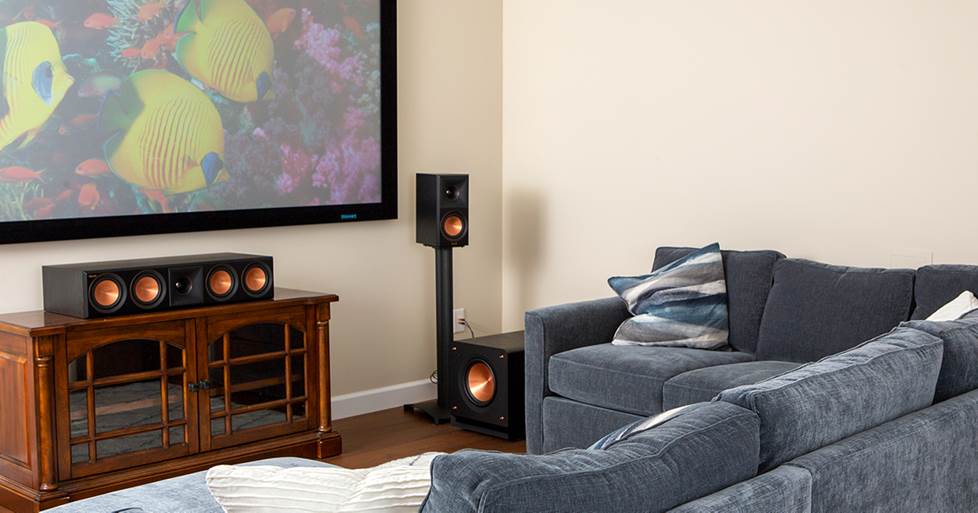
Keri's home theater space.
The Dirac Live setup process
Residential A/V Designer Norm advised Keri on her home theater build-out, and he had been looking forward to going back to run the Dirac Live Room Correction setup. Norm had no practical experience with Dirac, which was just the way he wanted it for this situation. “I wanted do the setup as a first-time customer with no experience with Dirac,” Norm stated. “It’s important to know what our customers will go through when we recommend gear to them.”
The TX-RZ50 manual states that running the room correction should take about 20 minutes. However, this is under ideal conditions with every piece of software updated and no errors. The Dirac Live Room Correction can be conducted using the free Onkyo remote app. Keri had never used the Onkyo app, so she needed to download the app to her iPhone. She ensured that the receiver and the phone were on the same wireless network in preparation for the setup and checked for software updates on the ‘RZ50.
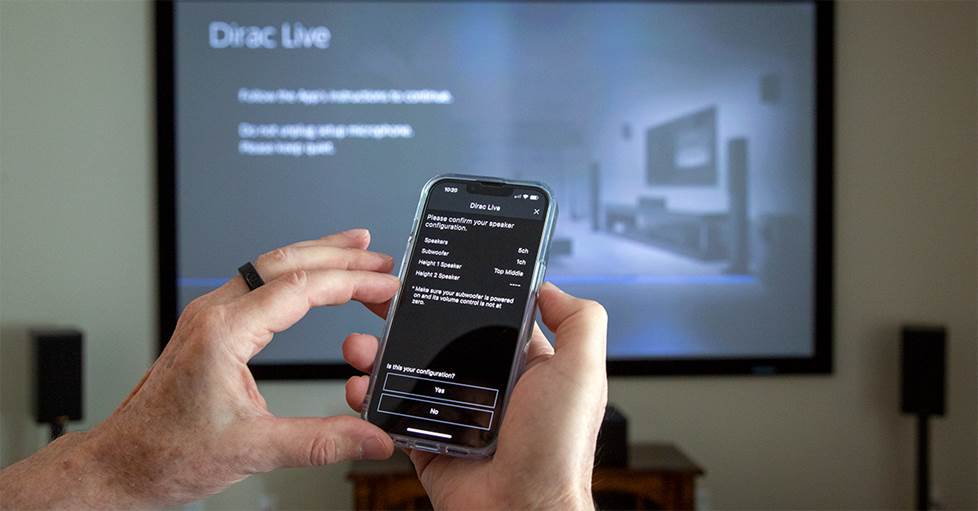
Dirac Live Room Correction through the Onkyo app.
The ‘RZ50 includes a microphone to listen to the test tones, and a tripod is needed to correctly position the microphone. Norm brought a professional boom mic stand, but you can use the telescoping cardboard tripod that comes with some receivers, or a camera tripod works just as well.
The microphone needed to be plugged into the front of the ‘RZ50. Keri’s receiver is tucked away into a nearby utility room, so it was a good thing that the mic came with an ultra-long cord.
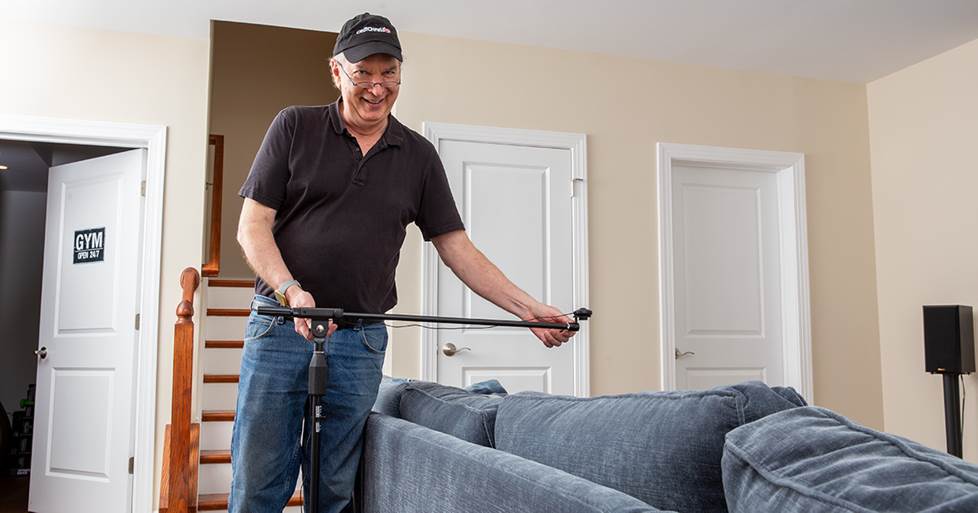
Norm positions the calibration microphone.
At this point, the room correction could officially begin. The speakers emitted test tones similar to TV static white noise to check for ambient noise or problems with the speakers. It’s important to have as near-absolute quiet as possible. Dogs barking, children playing, and even passing traffic can cause error messages.
Some false starts occurred when noise exceeded acceptable levels. Quiet murmurs from observers were shushed, and the fan in the projector was shut off. One error message occurred when the microphone picked up the low hum of a nearby refrigerator.
A couple of problems were detected at this stage of the setup. One problem was that the subwoofer would go into standby if it didn’t detect a signal after a certain amount of time. The subwoofer had to be encouraged to “wake up,” and then the test tones would begin again.
Another error message indicated that there was a problem with the rear surround speakers. It turned out that the wires for the left and right speakers were mislabeled and had been put into the wrong speaker terminals — right was in left, left was in right.
After all noise and speaker problems were resolved, the actual room measurements began. At this point, Norm could have taken measurements from three positions to get a quick reading, but he chose to do the full setup by measuring from nine positions.
He had to move and adjust the microphone to each position, which resulted in the app timing out in a few cases if he didn’t move quickly. Unfortunately, when it timed out, no matter what position he was measuring, he had to go back to the first position and start over.
Finally, all positions were measured. An equalization curve was displayed on the app, and the new settings were transferred to the ‘RZ50. Time from start to finish? Close to two hours — a significant departure from the original estimate of twenty minutes.
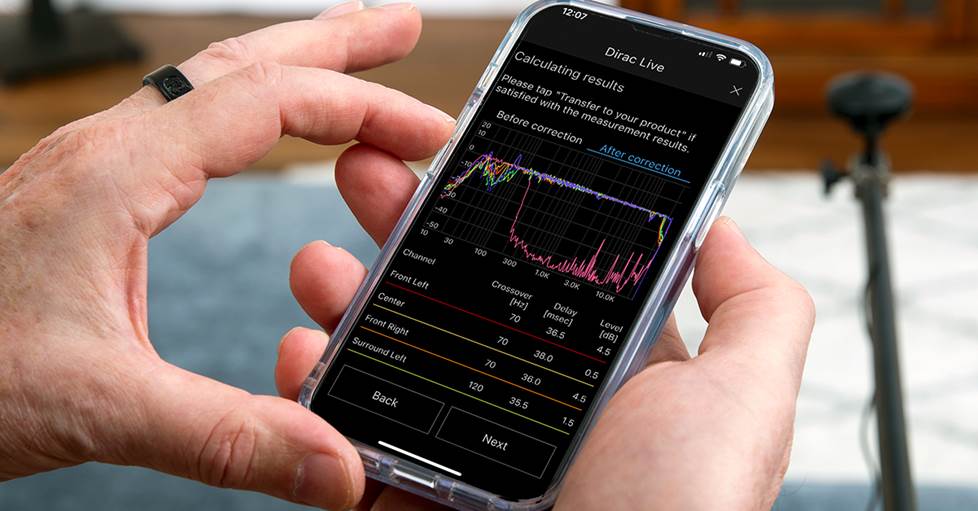
The Onkyo app lets you see the equalization curve before and after room correction.
Experiencing the new sound
With Room Correction complete, the next exciting step was to test the system. A few streaming selections were played, and the one that best illustrated the benefits of Dirac Live Room Correction was from the opening scene of the Netflix series “Wednesday.”
We could tell that an immersive sound “bubble” was created, making the sound warmer and more realistic. Bass was more responsive and “fuller” than before. We switched the scene from the room corrected version to the “Direct” mode in the Onkyo app to compare the differences, making these changes even more apparent.
The Onkyo app has an option to adjust the Dirac Live EQ curve. If the sound isn’t quite to your liking, you can tinker with the Dirac curve. But for most users, the results will be enough to satisfy. Keep in mind that if you change any of the Onkyo speaker settings in the Onkyo Setup menu, all measurements are returned to the default values. You’ll have to run the Room Correction again.
Norm was pleasantly surprised, and he was impressed enough that he would choose Dirac Live over other room correction apps. But he emphasized that every step must be followed and in the correct order.
For Keri, it was totally worth the time spent. Her family loves the system. They said, “Wow! It sounds like we’re sitting in the middle of the scene!”— high praise, and definitely what you want from your home theater.
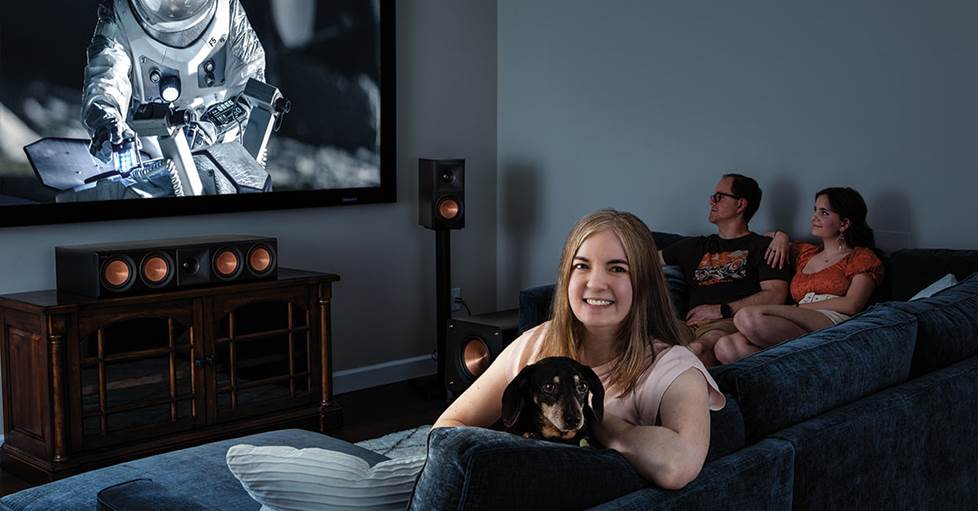
Keri and her family enjoy the new home theater with Dirac Live Room Correction.
Would you like to know more?
If you have questions about Dirac Live or home theater, contact our friendly Crutchfield Advisors. And remember, you get free tech support for as long as you own your gear.




Comments (0)