2003-2009 Chevrolet Kodiak and GMC TopKick
How to upgrade the stereo system in your Kodiak or TopKick

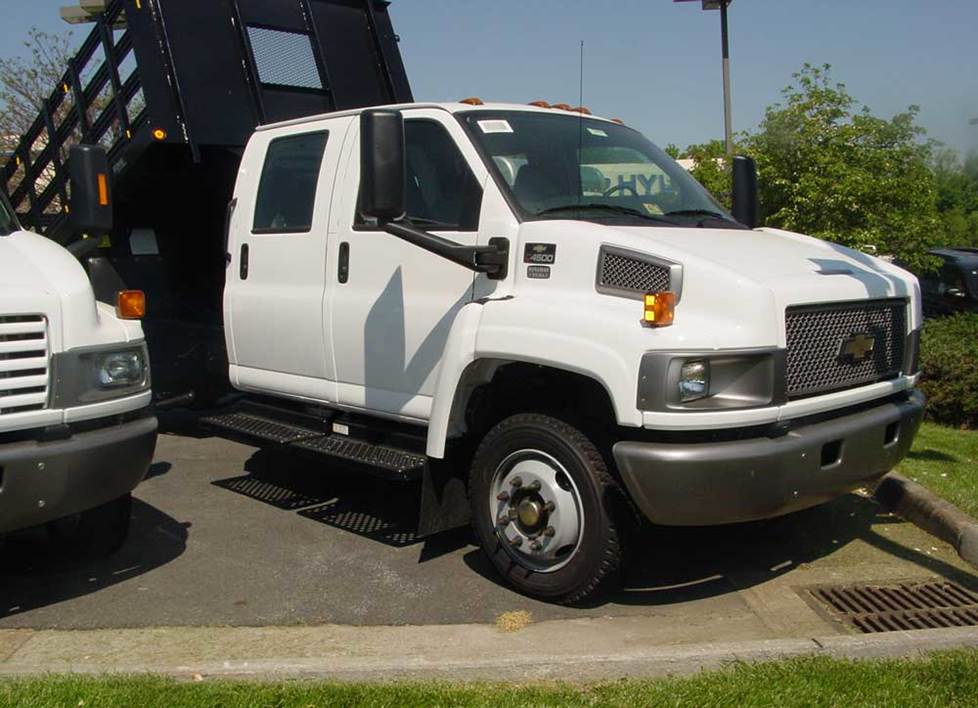
In brief: This Crutchfield Research Garage article gives you an overview of your truck's stock stereo system and your aftermarket upgrade options. We'll tell you all about:
- The factory stereo system
- Removing the factory radio
- Removing the factory speakers
- Adding more bass
- Other options for your Kodiak or TopKick
Then, use our vehicle selector to find the gear that will fit your vehicle.
Overview of the Chevy Kodiak and GMC TopKick
The ordinary civilian might not be able to tell you what a Chevy Kodiak or GMC TopKick is, but they’ve definitely seen one.
These versatile, multi-class workhorses are pretty much everywhere, serving as the base for school buses, emergency vehicles, delivery vans, construction trucks, airport shuttles, and more. There are, quite literally, fleets of these “medium-duty” trucks still in use around the country. It’s even said that this “GMT560” chassis underpins the U.S. Presidential limousine, a.k.a. “The Beast.”
While the GMT560 in your life might not be as luxurious (or as armored up) as the Beast, you still deserve the best sound and functionality you can have when you’re on the job. This article will show you what you can do and give you some tips on how to do it.
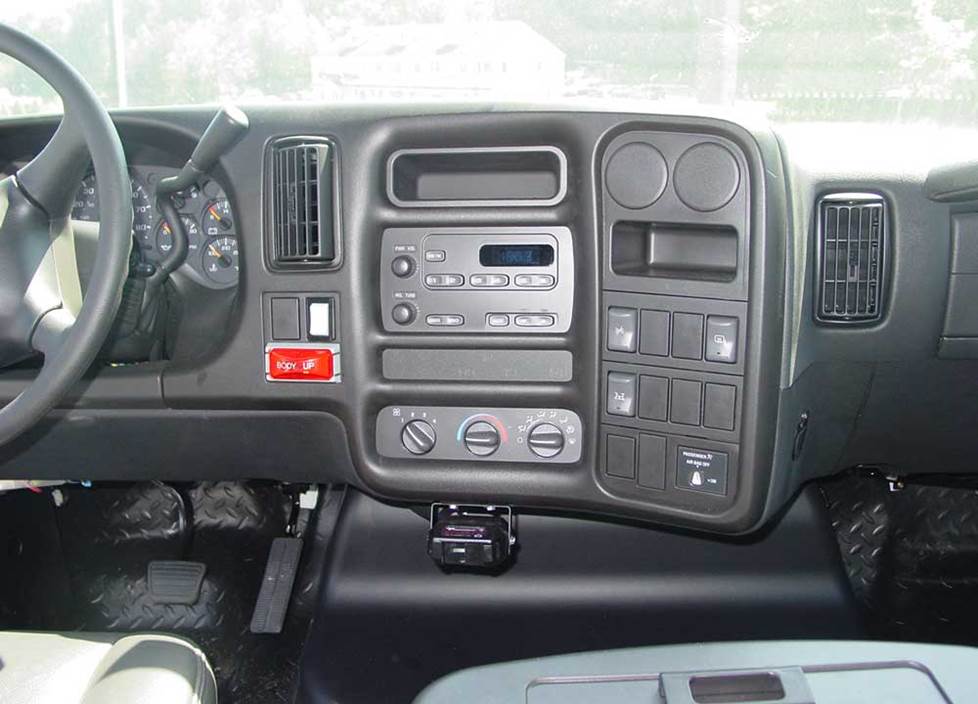
The stock radio is a pretty basic AM/FM radio (Crutchfield Research Photo)
The factory stereo system
Trucks like these are not designed with audiophiles in mind, so the stock stereo systems range from “none” to “meh.” If there is a factory receiver, it’s about as basic as radios get these days. And the factory speakers (if present) are quite capable of producing audible sounds, but that’s about the most that can be said for them.
Yes, that all probably seems a bit snarky, but the fact is that these trucks are made for work, not a relaxing drive in the country set to the lush strains of Debussy. No matter how much powerful gear you put in your Kodiak or TopKick, you’re gonna hear a lot of road roar and engine noise.
That said, there are a lot of pluses to upgrading the audio gear in your truck. The job’s not that hard and you and your crew will appreciate the improved functionality and sound.
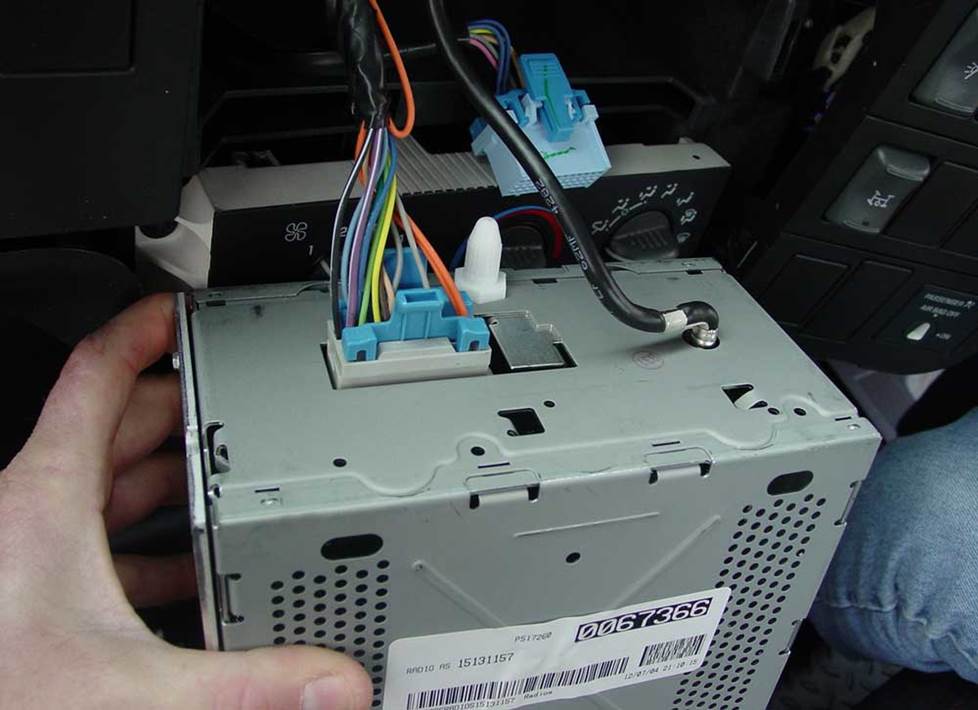
The stock receiver is reasonably easy to reach and remove (Crutchfield Research Photo)
Removing the factory radio
The stock receiver is pretty easy to remove, and you can replace it with a variety of single-DIN (2" tall) or double-DIN (4" tall) aftermarket models. You’ll need a dash kit, wiring harness adapter, and antenna adapter to install the new one, and you can get them at a nice discount when you order your new stereo from Crutchfield.
You must use the factory integration adapter recommended by Crutchfield in order to retain your truck’s warning chimes. This is kind of a big deal, to the extent that Crutchfield cannot offer technical support for an installation undertaken without the recommended adapter.
Detailed stereo and speaker removal instructions
Installing a shallow-mount radio in this truck is pretty painless, but if you choose a larger, deeper model, you’ll need to unbolt or cut out the factory radio's rear support bracket to make room for the new piece. This isn’t all that hard to do, but you’ll need to work carefully and wear eye protection.
To remove the stock unit, use a panel tool to pry off the small dash trim panel under the steering column to release two clips, then remove the panel. Pry around the edges of the dash trim to release the clips, then disconnect the harnesses and remove the dash trim. Finally, remove the three 7mm screws securing the radio-to-dash and remove it.
Tools needed: Panel tool, 7mm socket, ratchet, and extension
[SHOPCARSTEREOS]
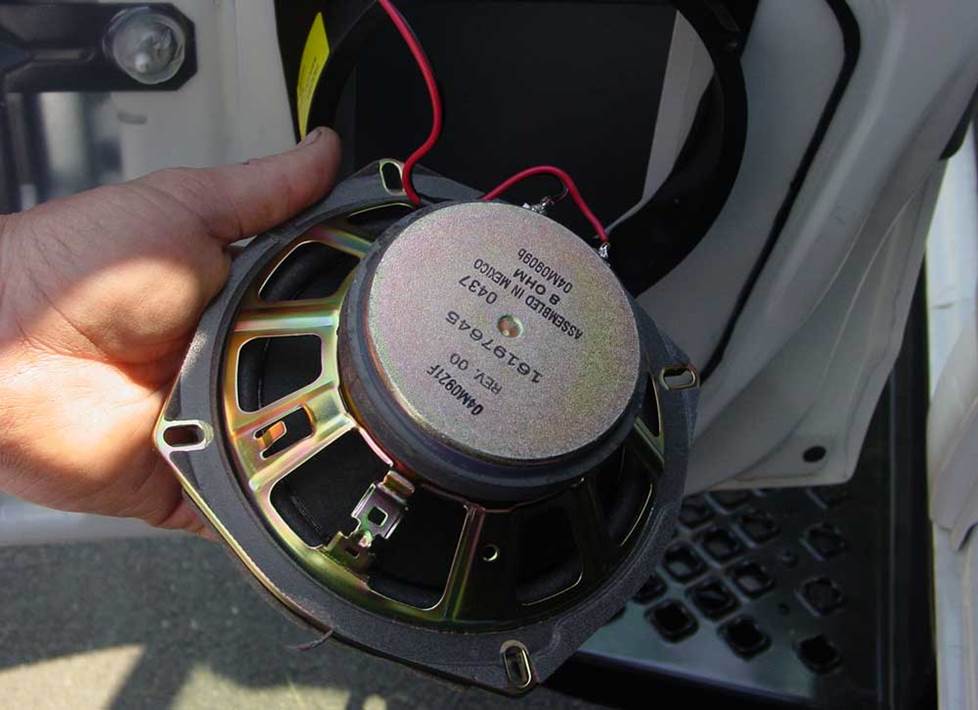
Upgrading the speakers will improve the sound in your truck (Crutchfield Research Photo)
Removing the factory speakers
Even if you're not all that concerned about concert-quality sound in your truck, the stock speakers are pretty old at this point. New speakers will make everything sound better, whether it's music stored on your phone or your favorite AM radio talk show.
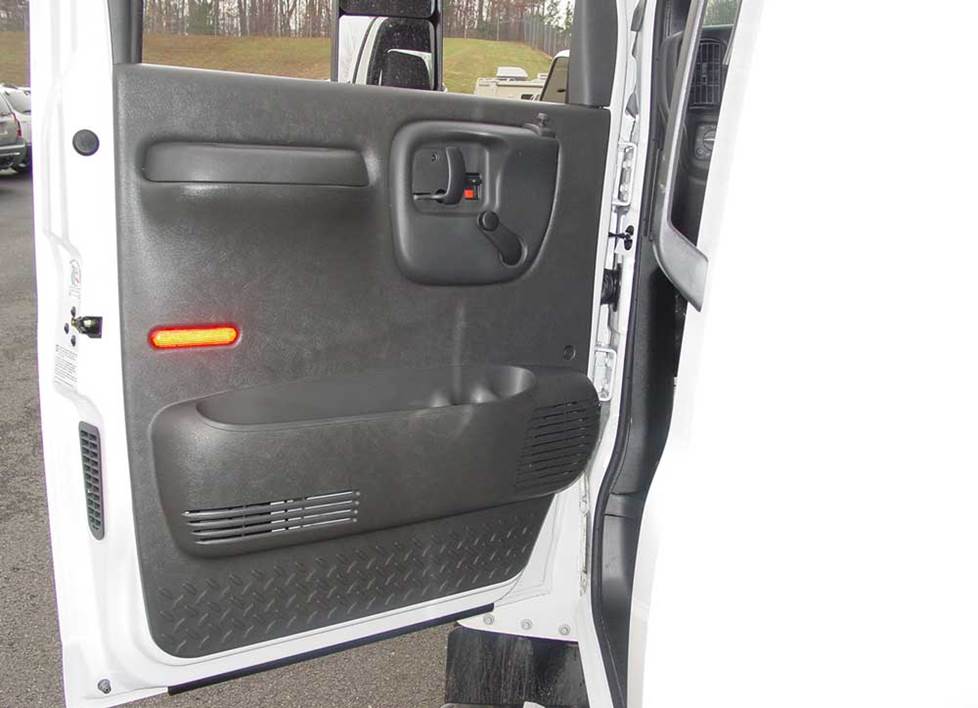
You'll need to remove the door panels to replace these 6-3/4" speakers (Crutchfield Research Photo)
Removing the front door speakers
The front door speakers, if your truck has them, are 6-3/4" models that can be replaced by a variety of same-size, 5-1/4", or 6-1/2" aftermarket speakers. You’ll need mounting brackets to the install the smaller models, and we’ll include them with your Crutchfield speaker purchase.
You’ll need to remove the door panels to get to these speakers. The job’s not that hard, really, especially for experienced DIYers (or truck maintenance pros), and it probably won’t take all that long. Just remember to work carefully and stay organized.
Once the new speakers are installed, test them out to make sure they’re working before you put the doors back together. You’ll also want to make sure the door lock/release mechanisms are working, check the window operation, and make sure the new speakers aren’t mashing on anything important. Once all that’s checked off, put the panels on and button it all up again.
Tools needed: Panel tool, Phillips screwdriver, small flat blade screwdriver, 7mm and 1/4" sockets, ratchet, and extension, clean shop rag
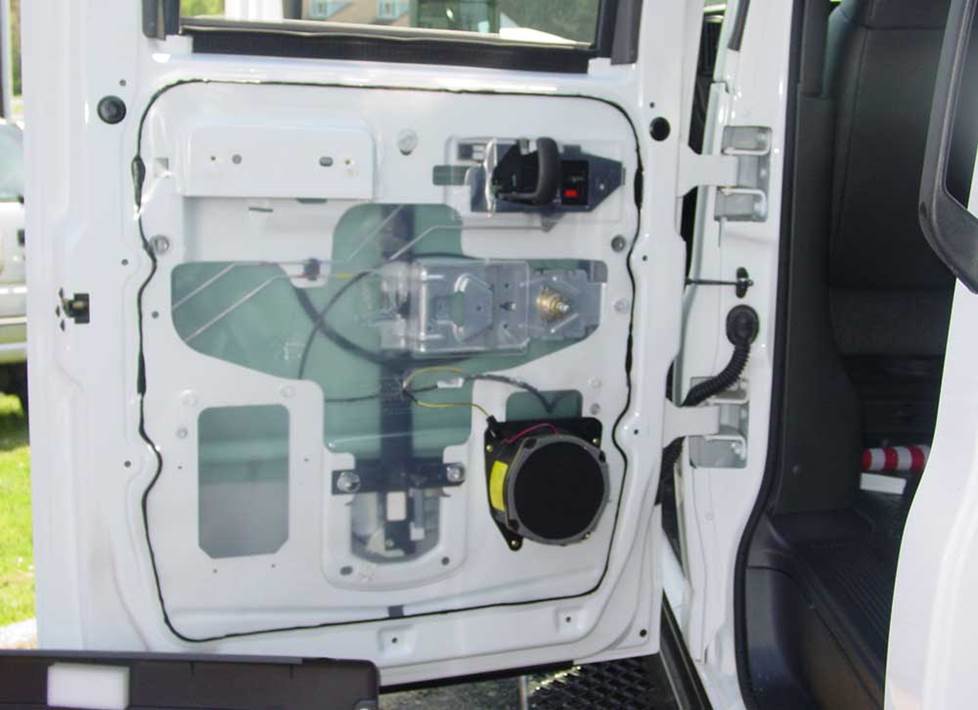
Crew Cab trucks include 6-3/4" speakers in the rear doors (Crutchfield Research Photo)
Removing the rear door speakers (Crew Cab)
The Crew Cab models sport 6-3/4" speakers in the rear doors, and you can replace them with a variety of same-size, 5-1/4", or 6-1/2" aftermarket speakers. You’ll need mounting brackets to install the smaller models, and we’ll include them.
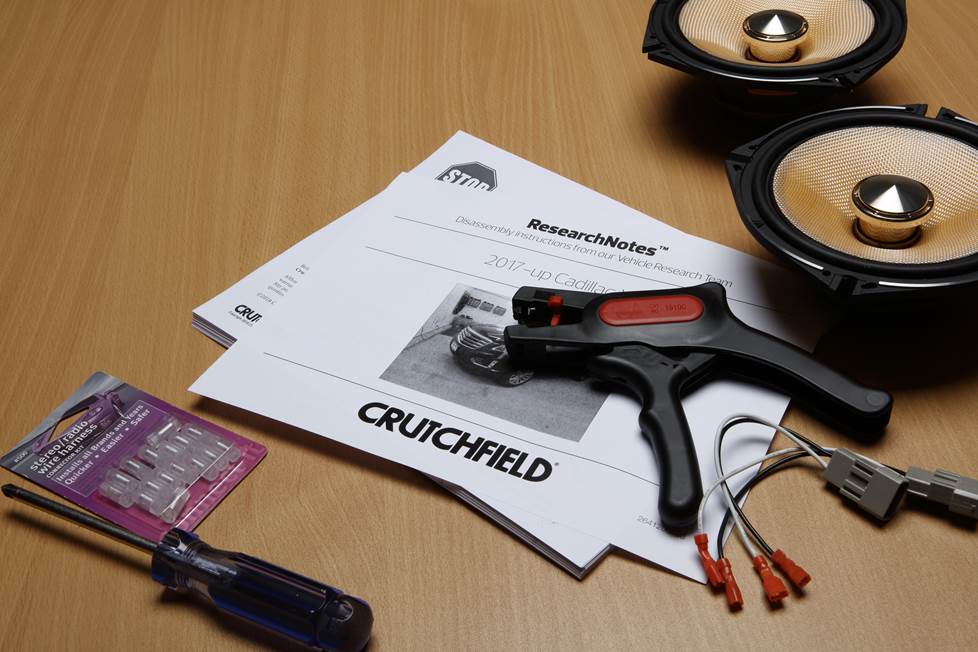
The removal/replacement process back here is largely similar to what goes on with the front doors, and all the details can be found in the Crutchfield ResearchNotes included free with your Crutchfield purchase.
If you have any questions before or after your installation, remember that your Crutchfield purchase includes free tech support for the life of your gear. Our experts are right here in Virginia and ready to help when you need them.
Tools needed: Panel tool, Phillips screwdriver, small flat blade screwdriver, Torx T30 driver, 1/4" socket, ratchet and extension, and a clean shop rag
[SHOPCARSPEAKERS]
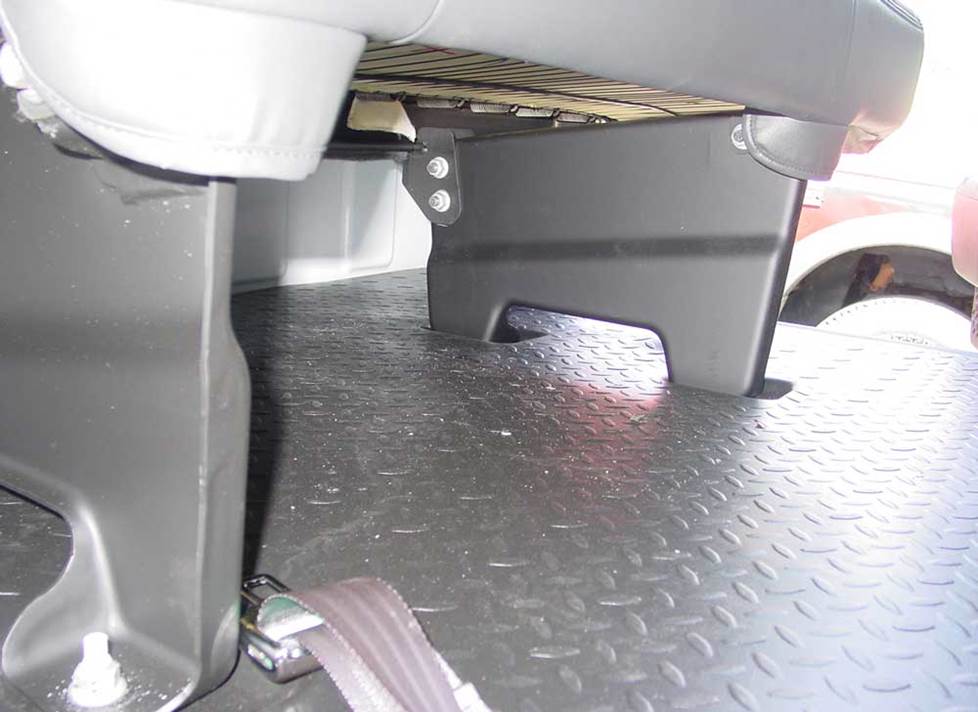
There's a bit of room for a subwoofer enclosure underneath the Crew Cab's rear seat (Crutchfield Research Photo)
More bass in your Kodiak or TopKick
We’re not sure how many Kodiak/TopKick owners are all that concerned about roof-rattling bass, but we’re willing to be surprised.
There’s no room for a subwoofer box behind the seats in the regular cab trucks, but the Crew Cab has space behind the seats that measures 62" wide x 25" high. The depth ranges from 3" to 10" front-to-back. You can also improve your truck’s audio with a compact powered subwoofer.
And yes, if you trick out your Kodiak or TopKick with a big, thunderous, top-class stereo system, we really want to see it. If you have time, visit our Custom Car Showroom and tell us all about your truck.
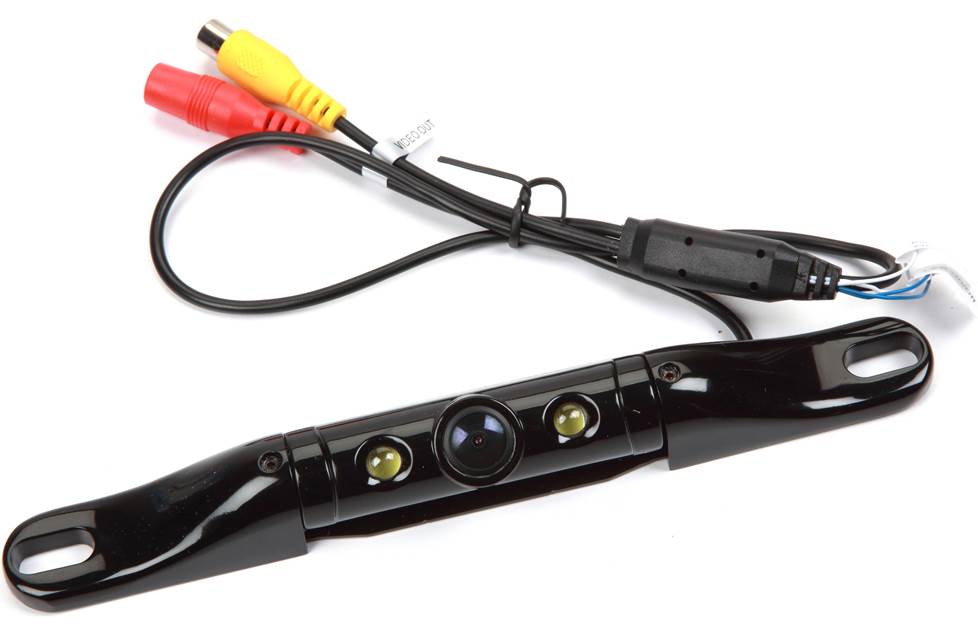
A backup camera will make your daily rounds a whole lot safer
Other options for your Kodiak or TopKick
Here are some other cool upgrade ideas for your truck.
Add a camera or two
In a big truck like this one, navigating narrow streets and crowded parking lots can get a bit hairy. We offer rearview cameras from Kenwood, Alpine, Sony, Pioneer, and more. Some are designed to work with same-brand touchscreen receivers only, but others come with a composite video connector and will work with almost any video receiver.
And as challenging as parking can be, just driving around can be a hassle in overcrowded areas. Not that you're not an excellent driver, but what about those other people? With a dash camera, you can keep a record of your daily drive.
Upgrade your security
Installing a security system in your truck isn't easy (security systems rarely are), but it's less complicated than it could be. Our Crutchfield Advisors can help figure out what you need to get the job done, but we usually recommend taking your truck and new gear to a professional installer when it comes to security systems.
Let's get started!
Ready to shop? Use our vehicle selector to find the gear that will fit your car or truck. If you have questions, give us a shout via phone or chat.
Shopping for a fleet of vehicles?
If you're looking to outfit a fleet of trucks, we can help you with that. Contact Crutchfield Business to talk to one of our corporate sales experts.




Comments (0)