Q&A: Audio-Technica LP-120XUSB turntable
Answers to common questions
This content was created with the help of AI to summarize our data, then edited and revised by a Crutchfield writer.
The Audio-Technica LP-120XUSB is a fully manual, direct-drive turntable that combines hands-on vinyl playback with flexible connections and USB recording. Its switchable phono preamp, three playback speeds, adjustable pitch, and upgradeable cartridge make it a versatile choice for both new and experienced vinyl listeners.

How do I set up the Audio-Technica LP120XUSB?
Start by placing the turntable on a flat, level, stable surface where it will be isolated from speaker vibration. Seat the aluminum platter on the spindle, add the felt mat, attach the headshell and counterweight, and install the dust cover if you plan to use it.
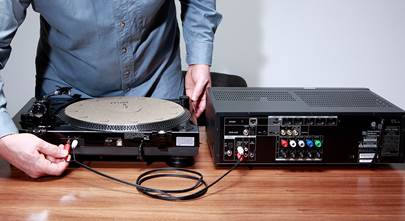
Next, connect the RCA cable to your receiver, amplifier, or powered speakers and set the rear PHONO/LINE switch for the type of input you’re using. Making these connections first helps avoid moving the turntable after you’ve balanced the tonearm. Then balance the tonearm and set the tracking force and anti-skate. Connect the power adapter after completing the other setup steps.
The LP120XUSB is fully manual, so you’ll use the cueing lever to lower the stylus and return the tonearm to its rest when a record finishes.
Quick take
-
Place the turntable on a flat, level surface away from speaker vibration
-
Connect the audio cable and select PHONO or LINE before balancing the tonearm
-
Set the tracking force and anti-skate before playing a record
Want to learn more?
Our guide to connecting a turntable walks you through the setup process in depth.
How do I balance the tonearm and set tracking force on the LP120XUSB?
Remove the stylus protector, release the tonearm clamp, and carefully support the headshell. Adjust the counterweight with small clockwise or counterclockwise turns until the tonearm floats horizontally. Don’t let the stylus touch the platter or another surface while balancing the arm.
Return the tonearm to its rest. Hold the counterweight still while turning only the numbered tracking-force ring until “0” aligns with the tonearm’s centerline. Then turn the counterweight and numbered ring together counterclockwise until the 2.0-gram mark aligns with the centerline. Set the anti-skate dial to 2.0 as well.
If you install a different cartridge, use its recommended tracking-force and anti-skate settings.
Quick take
-
Adjust the counterweight until the tonearm floats horizontally
-
Set the included cartridge’s tracking force to 2.0 grams
-
Set the anti-skate dial to 2.0
Want to learn more?
Check out our step-by-step guide to balancing your turntable's tonearm.
How do I use the AT-LP120XUSB’s built-in phono preamp?
The switchable built-in phono preamp lets you use the turntable with components that do not have a dedicated phono input.
Set the rear switch to LINE when connecting to an AUX, CD, TAPE, or other standard line-level input. This activates the turntable’s built-in phono preamp.
Set the switch to PHONO when connecting to a receiver or amplifier’s dedicated phono input—or to an outboard phono preamp. This bypasses the turntable’s built-in preamp.
Do not use the LINE setting with a phono input. Sending an already amplified signal through another phono preamp can produce excessively loud, distorted sound. Conversely, using PHONO with a standard line-level input will usually produce extremely quiet sound.
Quick take
-
Use LINE with AUX or another standard line-level input
-
Use PHONO with a phono input or external phono preamp
-
Never use LINE when connected to a phono input
Can I connect the LP120XUSB to powered speakers without a separate preamp?
Yes, provided the powered speakers have a compatible analog line-level input. Set the turntable’s preamp switch to LINE, connect its RCA outputs to the speakers, and use an appropriate adapter if the speakers accept a 3.5mm stereo connection rather than RCA plugs.
Quick take
-
no separate phono preamp is required with powered speakers that have an analog input
-
activate the built-in phono preamp and use the turntable’s line-level outputs
-
do not connect a line-level output to a phono input
Can I upgrade the cartridge?
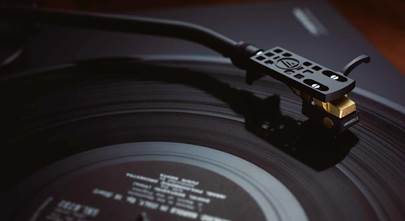
The turntable includes an Audio-Technica AT-VM95E moving-magnet cartridge with a bonded elliptical stylus. It comes pre-mounted to the removable AT-HS6 universal headshell, which you attach to the S-shaped tonearm during setup.
You can replace either the stylus or the entire cartridge. A replacement cartridge must be compatible with the headshell and tonearm, and changing cartridges requires you to check the cartridge overhang and reset the tonearm balance, tracking force, and anti-skate.
Quick take
-
includes an AT-VM95E moving-magnet cartridge
-
the cartridge is pre-mounted on a removable AT-HS6 headshell
-
cartridge upgrades require realignment and new tonearm settings
Want to learn more?
Take a look at our phono cartridge buying guide for info on how to choose the right upgrade. And if you need a little help swapping out your cartridge, our how-to guide walks you through the entire process.
How do I record vinyl to a computer with the USB output?
Connect the turntable’s USB-B port to a compatible Mac or PC with the included USB cable. Set the PHONO/LINE switch to LINE, then select the turntable as the input device in Audacity or another compatible third-party recording program.
The USB connection does not require a special turntable driver. The digital output supports 16-bit audio at either 44.1 or 48 kHz. Recording software controls tasks such as monitoring the incoming signal, setting levels, dividing an album into tracks, and exporting the finished files, so allow some time to learn those settings before digitizing a large collection.
Quick take
-
connect the turntable to your computer with the included USB cable
-
set the rear output switch to LINE
-
record at 16-bit/44.1 or 48 kHz with compatible software
Can I use the AT-LP120XUSB for DJing?
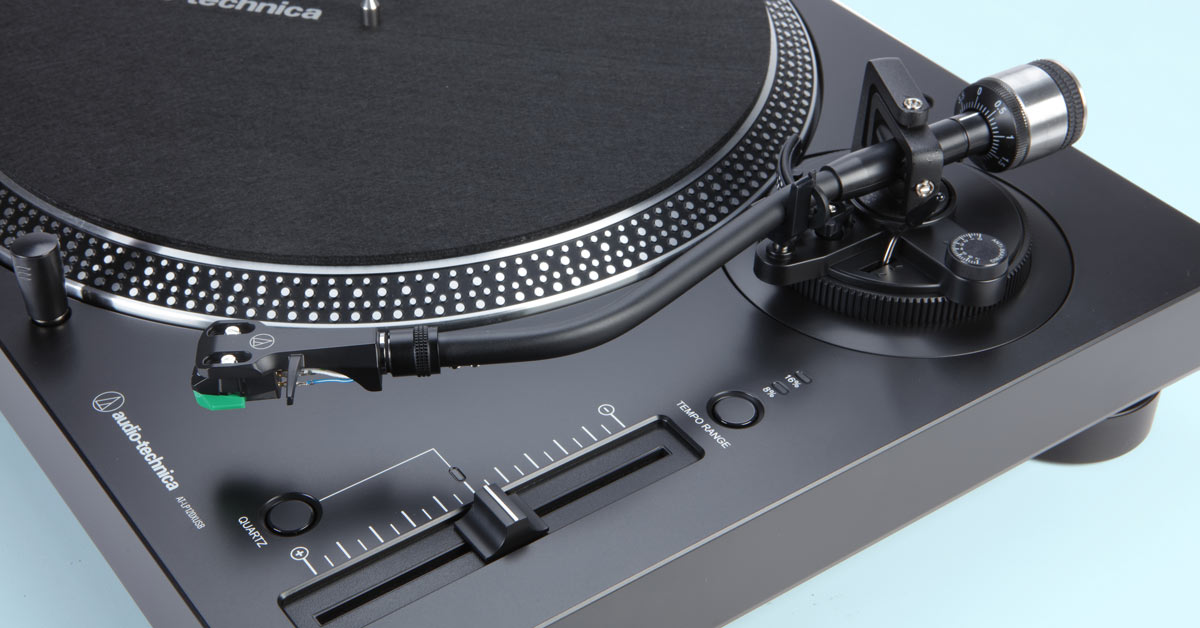
The LP-120XUSB offers several DJ-friendly controls, including a high-torque direct-drive motor, fast electronic braking, variable pitch adjustment, and a removable stylus target light. You can select a pitch range of ±8% or ±16%, and the quartz-lock button returns the platter to its precise rated speed.
Its fully manual operation also gives you direct control over cueing. These features make it useful for DJ-style playback and beat matching, while its built-in preamp and detachable cables provide flexibility when connecting it to different systems.
Quick take
-
high-torque motor starts and stops quickly
-
pitch can be adjusted over ±8% or ±16% ranges
-
the removable target light helps with cueing in low light
How do I switch between 33, 45, and 78 RPM?
Press the 33 button for 33-1/3 RPM records or the 45 button for 45 RPM records. To select 78 RPM, press the 33 and 45 buttons simultaneously so both are illuminated.
The included adapter accommodates 45 RPM records with large center holes. Because 78 RPM records have wider grooves, playing any 78 RPM pressing requires a compatible 78 RPM stylus, which is sold separately.
Quick take
-
press 33 or 45 for the corresponding speed
-
press both speed buttons simultaneously for 78 RPM
-
use a compatible 78 RPM stylus with any 78 RPM record
What our customers say about this product
Customers consistently praise the LP-120XUSB’s clear, detailed sound, solid construction, steady direct-drive speed, and strong value. Many also describe the basic assembly and system connection as straightforward, particularly for listeners already familiar with turntables.
The most common setup considerations involve balancing the tonearm, positioning the counterweight, and interpreting the largely visual setup instructions. Reviewers also frequently note that this is a fully manual model with no automatic tonearm return. Those using the USB output generally value the digitizing capability, although several say configuring recording software and computer audio settings requires additional time and technical familiarity.
Additional features at a glance
-
high-torque direct-drive motor
-
anti-resonance die-cast aluminum platter with felt slip mat
-
balanced aluminum S-shaped tonearm with hydraulically damped cueing
-
built-in switchable phono preamp
-
cartridge frequency response: 20-20,000 Hz
-
cartridge output/sensitivity: 4.0 mV
-
recommended cartridge load impedance: 47,000 ohms
-
signal-to-noise ratio: 50 dB
-
wow and flutter: 0.2%
-
45 RPM adapter, USB cable, RCA cable, and connection adapters included
-
warranty: 1 year
Find the right turntable for your system
Take a look at our comprehensive buying guide, or get in touch with our Advisors for personalized shopping help. Free lifetime tech support is included with your Crutchfield purchase.
Other product Q&A articles
Explore all of our popular home and car product FAQs.