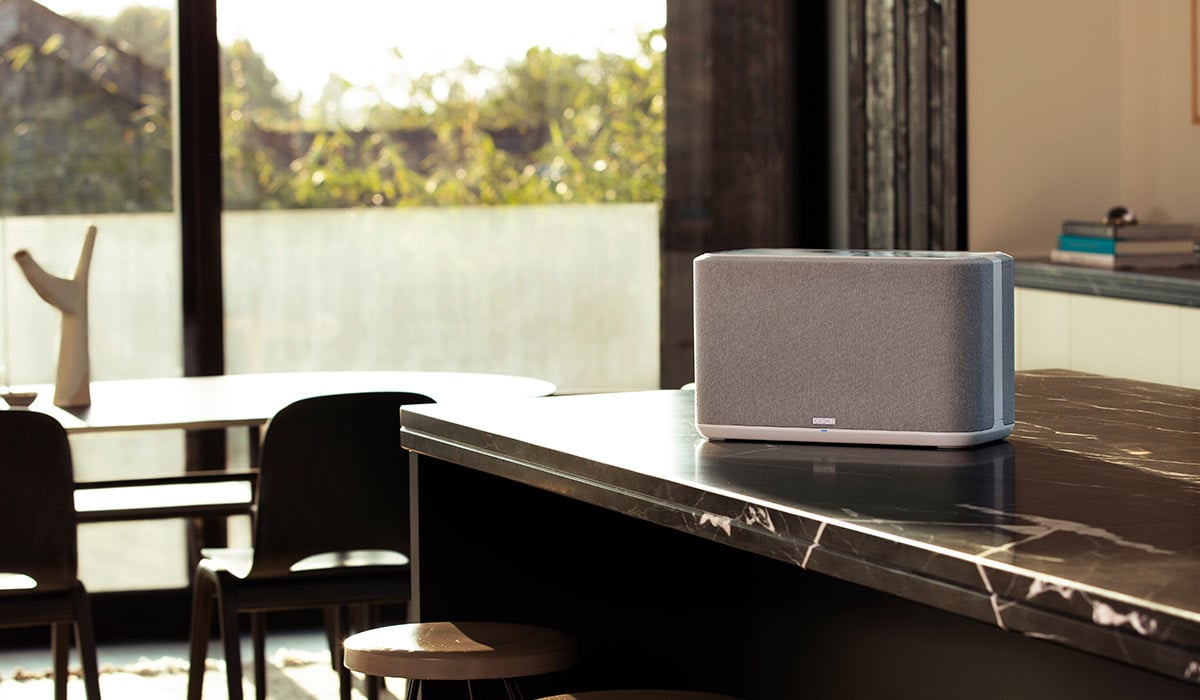
How to choose the best Wi-Fi speakers
A practical guide to understanding and choosing the right wireless streaming platform

In this article: We’ll compare the different types of wireless multiroom music systems, from multi-brand platforms to popular brand-specific ecosystems, including:
…plus we'll answer common questions, offer product recommendations, and link to helpful guides to make choosing and setting up your gear simple.
If you’ve ever wished you could hear your favorite tunes in every room at once — without running wires through walls, crawling around in ceilings, or spelunking through crawlspaces — you’re in luck. Modern multi-room Wi-Fi audio systems make that dream real.
Today’s gear makes it easy to start small and build over time. Whether you’re unwinding in a listening nook, cooking in the kitchen, or entertaining on the patio, these systems let you play music in different rooms (or the same song everywhere) and control it all from your phone, tablet, or — in some cases — your voice.
Which type of system is right for you?
There’s no single “right” way to build a wireless multi-room system. Some platforms are designed to play nicely with lots of brands and devices, while others work best when you stay within one manufacturer’s ecosystem. Broadly speaking, these systems fall into two categories: Open systems, which emphasize cross-brand compatibility and flexibility and Closed systems, which prioritize tight integration and simplicity within a single ecosystem (brand). Let’s break those down.
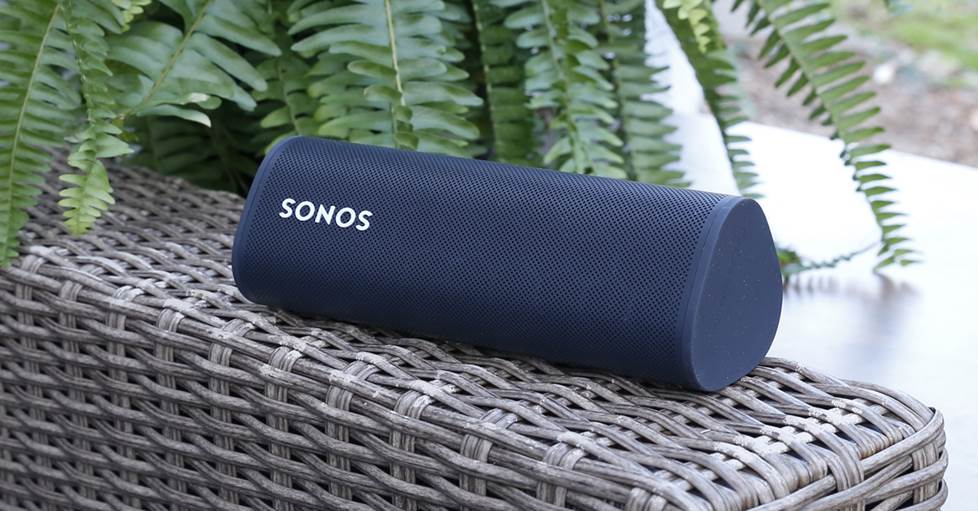
The Sonos Roam works with the Sonos app, AirPlay 2, and Bluetooth, offering versatility without locking you into an ecosystem.
Open systems
Open systems are designed to work across multiple brands and device types. They’re great if you like flexibility, already own compatible gear, or want the freedom to expand your system in different directions over time.
Apple® AirPlay® 2
If you live in the Apple ecosystem, Apple AirPlay 2 can act as the backbone of your multi-room system. Your iPhone® or iPad®, streams the music and serves as the controller, letting you send audio to one or multiple AirPlay-enabled speakers and components throughout your home.
One of the big perks is mix-and-match freedom — you can combine speakers, receivers, and other components from different manufacturers as long as they support AirPlay 2. And if you subscribe to Apple Music, Siri voice control makes cueing up music super simple.
Google Cast
Google Cast is controlled through the Google Home app (available on iOS and Android™?). It lets you wirelessly stream music to one or more Cast-enabled speakers and components — even from different brands.
It’s especially handy for households already using Google Assistant or Chromecast devices, and it integrates smoothly with a wide range of music streaming services.
DTS Play-Fi
Play-Fi is a platform used by several manufacturers, including SVS. Like AirPlay and Google Cast, it allows you to mix and match compatible speakers and components into a unified multi-room system. It's less common than the other two, but it’s a solid option if you’re considering gear from brands that support it.
Bluetooth®
Virtually all multi-room wireless systems — open and closed — feature some form of Bluetooth. While most let you stream music from your smartphone or tablet to one speaker, some can take that incoming Bluetooth signal and distribute it to play through system speakers in other rooms.
DLNA and UPnP
DLNA (Digital Living Network Alliance) and UPnP (Universal Plug and Play) are older but still useful open standards that let compatible devices on your home network share music directly. Instead of casting from your phone, audio can live on a computer, NAS drive, or media server and play straight through a streamer, receiver, or smart speaker. The upside is broad compatibility and support for high-quality local files, while the downside is that setup and control apps can feel less polished than AirPlay or Google Cast.
Roon
Roon is a music management system that brings your local files and streaming services together in one clean, easy-to-browse place. Much like DLNA and UPnP, it runs on a computer or NAS via Roon Core and sends music directly to compatible streamers, receivers, and speakers around your home — no phone casting required. The big appeal is how polished and intuitive it feels, along with strong support for high-quality audio and multi-room playback. It does require a subscription and a bit of setup, but it's great for listeners who want their music library to feel organized, connected, and at their fingertips.
Closed systems
Closed systems are built around a single brand or tightly controlled ecosystem, making setup smoother, app control a little more polished, and overall fewer compatibility headaches. The tradeoff is less freedom to mix in third-party gear.

Sonos' intuitive app allows for easy, streamlined control of multiple music sources to multiple speakers.
Sonos
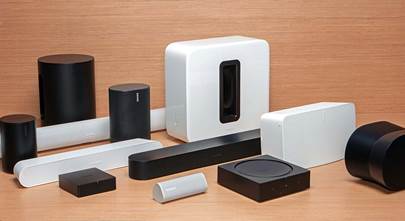
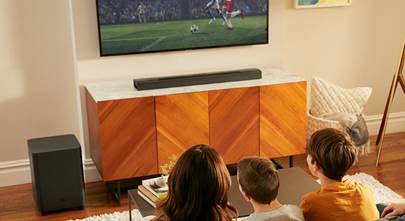
Sonos is one of the easiest entry points into whole-house wireless audio. Setup is straightforward: add a speaker like the Sonos Era 100, connect it using the Sonos S2 app, and expand from there. Add more speakers, a Sonos soundbar or Sub whenever you’re ready — the system grows with you.
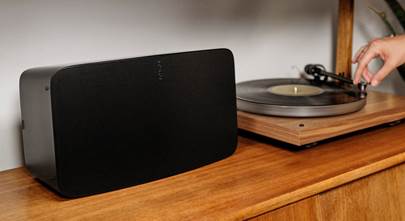
Sonos supports Apple AirPlay 2, making it a great fit for Apple users. Vinyl fans aren’t left out either: Sonos offers line-in options and adapters, or you can opt for a Sonos-compatible turntable like the Victrola Stream series for a truly wireless vinyl experience.
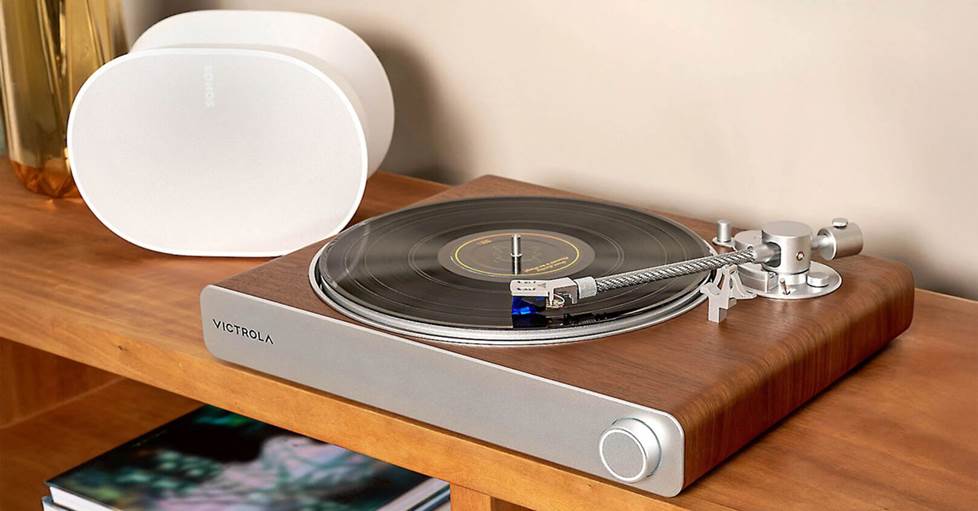
The Victrola Stream series of turntables allow for untethered listening to any Sonos device.
Gear options include:
- powered speakers
- sound bars
- subwoofers
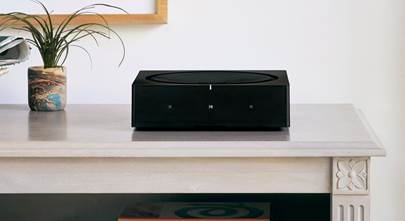
- streaming amp to drive your own passive speakers
- streaming adapter to add your existing system into the Sonos network
- portable speakers
- turntables with built-in phono preamp
Voice control: Amazon Alexa, Google Assistant built in
Compatible with: Apple AirPlay 2, Bluetooth (with Sonos Roam 2 and Sonos Move 2), Roon
For an in-depth look at the Sonos lineup, explore our Buying Guide.
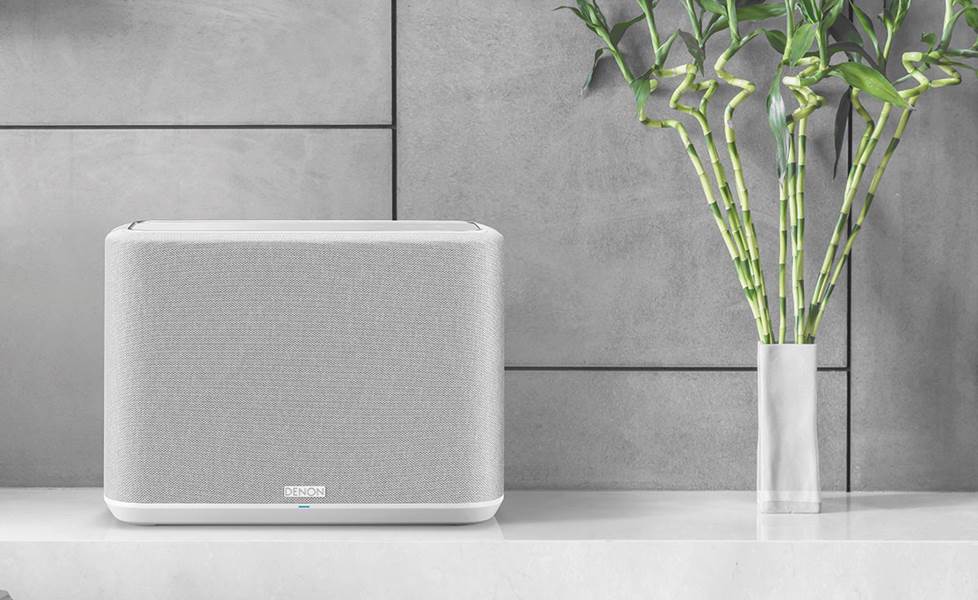
Powered by HEOS
HEOS is built into Denon and Marantz gear and strikes a nice balance between flexibility and sound quality. Speakers like the Denon Home series support high-resolution formats such as FLAC, WAV, and DSD, bringing audiophile-leaning performance into a wireless setup.
From compact wireless speakers to full surround systems, HEOS makes it easy to scale up. And if you already own traditional, non-wireless components, the HEOS Link can bridge them into the system, turning classic gear into a modern streaming endpoint.
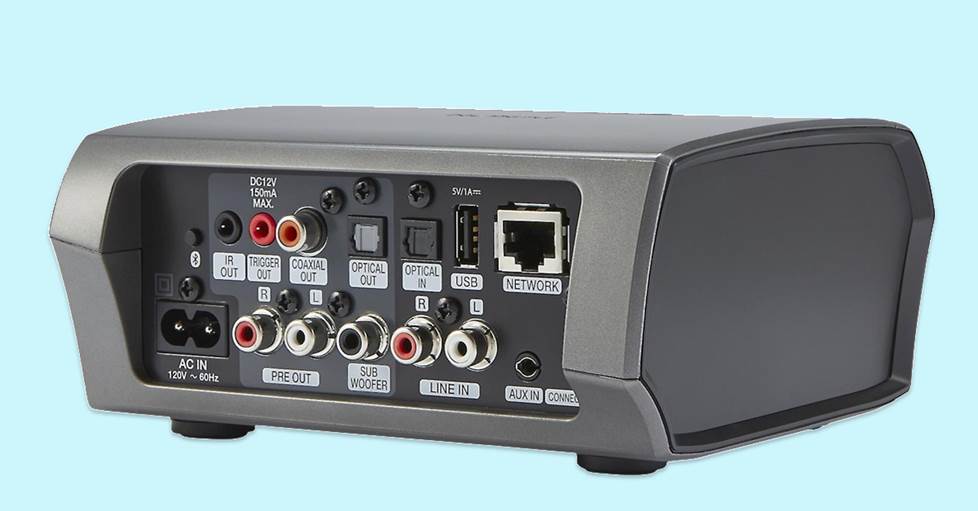
The HEOS Link allows for integration of non-wireless components into the HEOS ecosystem.
Gear options include:
Voice control: Amazon Alexa (through Amazon Echo device), Google Assistant (through connected Google Home device)
Compatible with: Apple Airplay 2, Bluetooth, Roon
We got hands-on with some HEOS gear to see how each piece actually performs in the real world. Check it out here.
Yamaha MusicCast
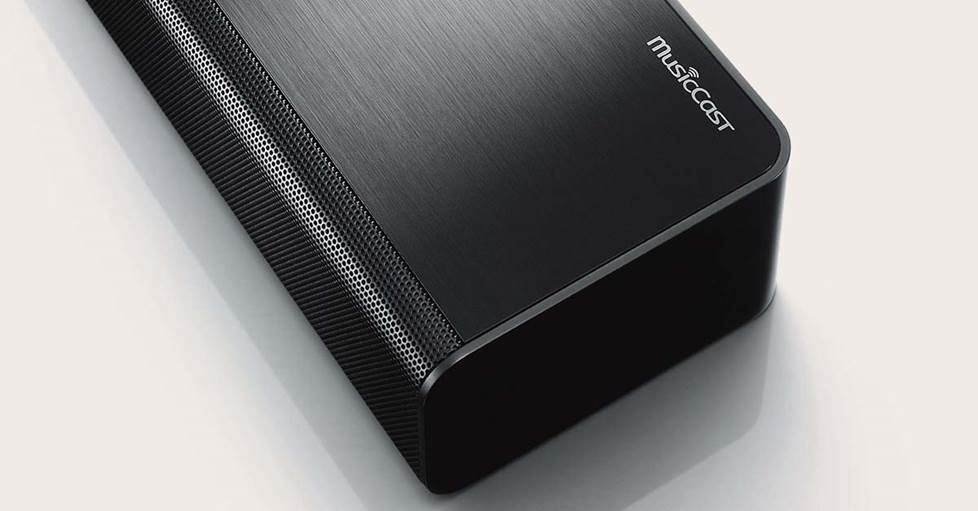
Yamaha’s MusicCast platform is baked into a huge range of products — stereo receivers, home theater gear, powered speakers, sound bars, and even turntables. That breadth makes it easy to expand your system over time while staying within one ecosystem.
MusicCast products also support Bluetooth, and they can even rebroadcast a Bluetooth stream to other rooms, making it simple to share whatever you’re playing across your home.
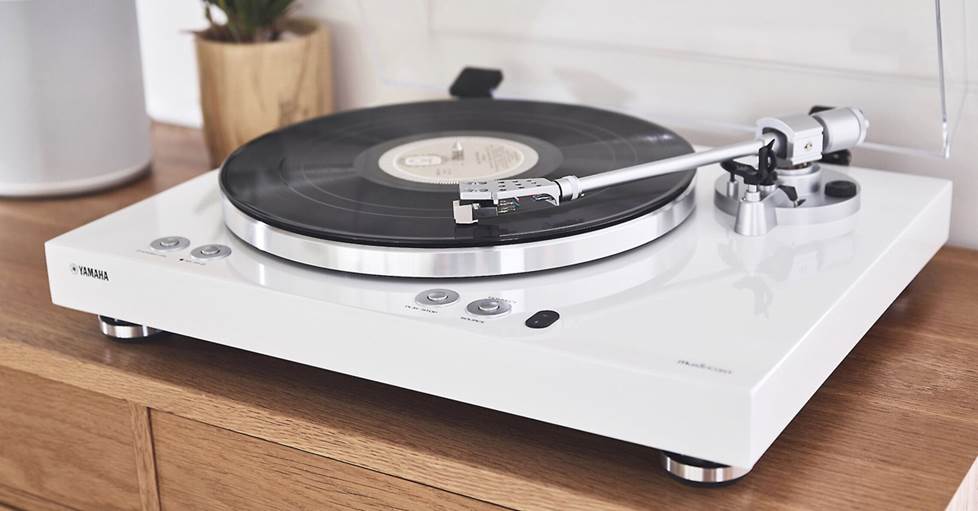
Yamaha's TT-503 turntable has MusicCast built in, allowing for easy wireless playback to compatible Yamaha gear
Gear options include:
• powered speakers (can be paired for stereo)
• home theater receivers
• sound bars
• stereo receivers
• turntables with built-in phono preamp
Voice control: Amazon Alexa (through connected Echo device), Google Assistant (through connected Google Home device)
Compatible with: Apple AirPlay 2, Bluetooth, Roon
Check out this MusicCast overview video our production team put together.
BluOs
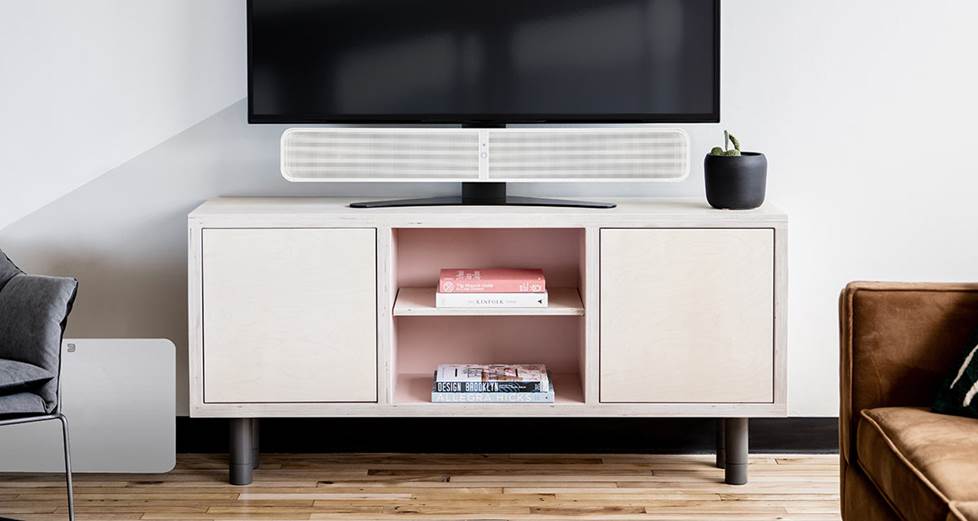
If high-resolution, bit-perfect playback is your priority, BluOS — found in Bluesound, NAD, and certain PSB products — is worth a serious look. Bluesound speakers and components support a wide range of hi-res formats and are designed to slot easily into both modern and traditional hi-fi systems.
Compact speakers like the PULSE MINI 2i work beautifully on their own, while options like the PULSE M offer a fuller, room-filling sound. For existing stereo systems, components like the Bluesound NODE or its smaller sibling, the Bluesound NODE NANO, add high-res streaming without replacing your beloved amp or speakers. Here's some additional information about the Node family of streamers.
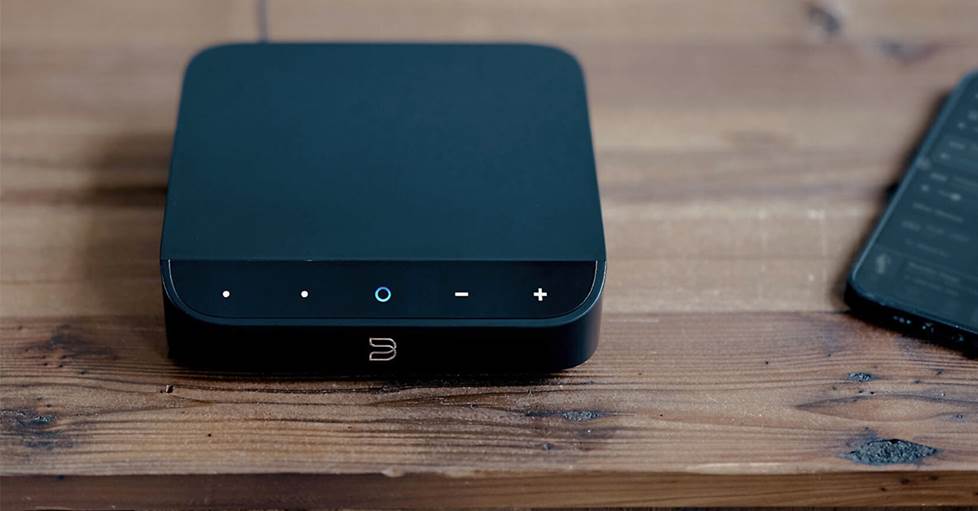
The Bluesound NODE NANO is a compact way to add highi-res streaming to your existing setup.
Gear options include:
- Bluesound powered speakers
- PSB powered speakers
- Bluesound sound bars
- Bluesound subwoofer
- Bluesound media server/CD ripper
- Bluesound streaming amps
- NAD streamers, amps, and receivers
- Bluesound streamers
Voice control: Amazon Alexa (through connected Echo device), Google Assistant (through connected Google Home device)
Compatible with: Apple AirPlay 2, Bluetooth, Roon
High-res file support: FLAC, MQA, WAV, AIFF
Common questions and other considerations
We get a ton of questions about wireless streaming platforms — and with so many options out there, it’s easy to see why! Here’s a quick look at a few, plus some extra details.
Is there a way to integrate my existing wireless speakers into a different brand's ecosystem?
In short: yes — but with limits. Most “closed” ecosystems are designed to work only with their own gear, which makes mixing brands tricky. That said, there’s an important exception.
If both your existing speakers and the new components support Apple AirPlay 2, you can stream music wirelessly to multiple compatible speakers, receivers, and sound bars at the same time — even if they’re from different manufacturers. AirPlay lets you group speakers across brands, control playback directly from your device, and expand your system gradually, without committing to a single ecosystem from day one. It’s a practical way to build forward — not from scratch.
Can I use my own stereo speakers in a wireless system?
Yes. Look for an amplified streaming component with Wi-Fi built in, like the Sonos Amp or Denon Home Amp. To add wireless streaming to an existing receiver, a device like the Bluesound NODE can connect via an aux input.
Can I play my vinyl records through Wi-Fi speakers?
Absolutely — as long as your speaker or component has an analog RCA input and your turntable includes a built-in phono preamp. Products like the Sonos Port or certain Yamaha receivers make it easy to send vinyl playback wirelessly throughout your home.
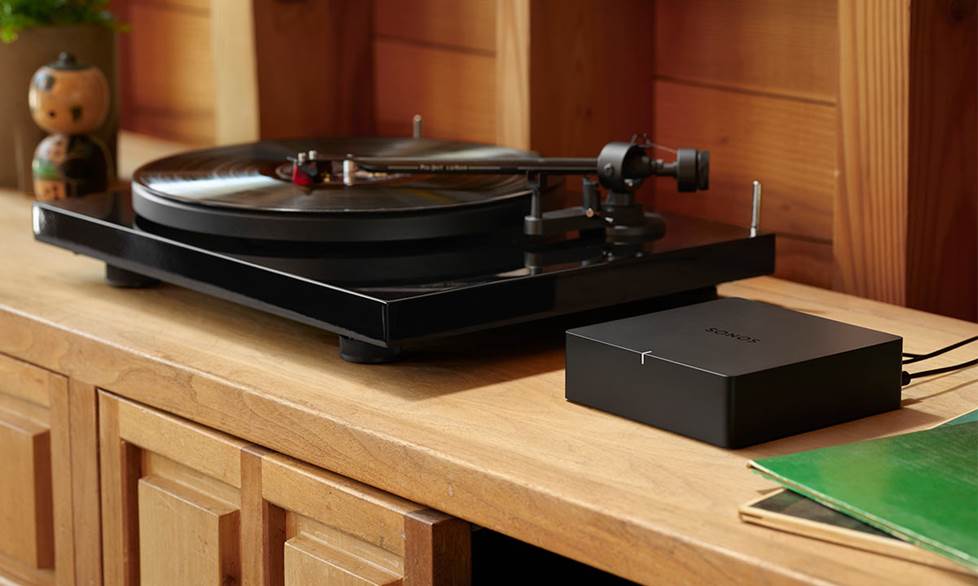
Use the Sonos Port to incorporate your turntable into your wireless multi-room audio system.
Some turntables, like the Victrola Stream Carbon turntable, even have Wi-Fi and Sonos streaming built in.
Will my home network support a house full of wireless speakers?
You’ll want fast internet and a strong Wi-Fi router with reliable coverage in every room where you plan to place a speaker. A good router makes all the difference. To learn more, read our wireless router buying guide.
Additional resources
In addition to the linked articles above, here are a few more helpful guides and "best" of lists that might help during your decision making:
Wi-Fi vs Bluetooth for streaming music
Guide to high-resolution music streaming with Qobuz
How to add hi-fi streaming to your home stereo
How to control your home stereo with Alexa or Google
Best streaming turntables for 2026
More questions?
And of course, if you need help or have questions, our expert Advisors can help. Contact us today for free, personalized advice. Free lifetime tech support is included with every Crutchfield purchase.



Sarah
Posted on 11/2/2020
Nice
Rajat Chauhan from CARY
Posted on 11/13/2018
Hi, first off, very nice writeup..good job there. Can you please recommend a replacement under 1500$ for my JBL L16. My use us for living room with occassional dance parties in an area of 30 * 15. I feel JBL lacks feel during such parties and sound feels insufficient, otherwise its a great speaker. So far, only Naim muso seems to be something with higher wattage (450 vs 300), but am curious if anything else is out there that I'm not aware off. And yes, it has to be a wireless(wirefree ) option. Thanks much
Sonny Canterbury from Glenwood Springs
Posted on 9/9/2017
My church is looking for a system that will get its feed from our Presonus sound board and be broadcast to powered speakers in various locations up to 300 feet away inside the building. Any suggestions?
David Taylor from Salt Lake City
Posted on 7/24/2017
This review seems incomplete with including Apple's AirPlay. It is a multi-room, multi-vendor option. I have been running it from a Windows 2012 Server with iHomeServer (a $50 software program that runs iTunes run as a service so it's always on and provides lots of other features for web interface, streaming, etc) going to Yamaha Aventage receiver, Denon N7, as well as AppleTVs and a couple AirPort Expresses for quick-n-dirty speaker connections.
Adam B from boston
Posted on 7/14/2017
My multi room audio journey has gone from: Airplay --> Sonos --> Bluesound over the past three years. Airplay was dropping out on me all the time, even when I'd set up additional Airport Expresses (by CAT5) to extend range, I couldn't get it to play reliably from the top floor of my townhouse. That brought me to Sonos, which was a BREEZE to set up and sounded quite good, but then I got into HiRes audio and MQA, which had me return my Sonos kit for Bluesound Bluesound is a pain to setup and the Apps to control music are not as intuitive as Sonos, BUT... the sound quality of their equipment is unmatched. They use audiophile quality DACs, they use PSB speakers and they use NAD amp technology. You really sound the difference AND you get to have the upward compatibility of HiRes/MQA. Right now I control the system with Roon, which is fantastic and should be considered by anyone with Sonos or Bluesound equipment. Perhaps within a year or so I'll be using Siri and HomeKit... I noticed Bluesound's logo associated with the AirPlay2 protocol. We shall see!
Juan Pablo
Posted on 2/18/2017
2 words... Chromecast Audio!
Steven from Philadelphia
Posted on 1/6/2017
I love Sonos - and the gen 2 Play:5 has great sound. It works so well and the app is easy to use and reliable. Before I tried Sonos, I tried PlayFi (had a Klipsch RSB-14 playbar, 2 "The Three" speakers and 1 Klipsch PowerGate for in wall speakers in my bathroom). It was a nightmare - constant problems with speakers not showing up, Spotify Connect speaker groups being separate from the other speaker groups (and disappearing every time you put your phone down and looked at the app again). Sonos on the other-hand has been working perfectly since day one. If you want to listen to music from many sources and want to create a whole house wireless system, I really can't imagine that you'd be disappointed with Sonos - especially if you pair it with a Spotify Premium account. Just waiting to pay down my credit card so I can add a couple more speakers and I'll be set for quite a few years.
Howard from Tampa
Posted on 12/8/2016
Started out with Squeezebox. Had it for 2 years. It worked some of the time... Broke down and got the Sonos. Never been happier. Three Zones, including outdoor lanai, running perfectly for three years. It just works.
Paul G from DC
Posted on 10/23/2016
Agree on both counts Robert Richter. I've just replaced my squeezebox setup running through a Musical Fidelity DAC with Bluesound Node 2 (purchased from Crutchfield). I had internet radio up and running in seconds but couldn't get it to read my lossless media library. The issue turned out to be I hadn't updated my Apple OS. Once I did that it has been seemless. The Bluesound quality is simply superb!!
Robert J. Richter from North Reading
Posted on 10/23/2016
first, Sonos did not invent the wireless music system, Squeezebox, later purchased by Logitech was way ahead of them at least a decade. Second, I would rate Bluesound as one of the best systems out there, and you do not even mention them.